Compare sites
The Compare sites feature shows how many inventory items of the same accession are stored across different sites. This is useful for tracking accessions in long-term storage that have not yet been duplicated at another site.
Select two or more sites to compare and apply filters based on the number of inventory items at each location. You can also apply standard accession filters to refine the search.
Example
To identify accessions with at least one inventory item in Site A but none in the Svalbard Global Seed Vault, apply these filters: for Site A, set From value to 1 or more; for the Svalbard Global Seed Vault, set To value to 0 or less.
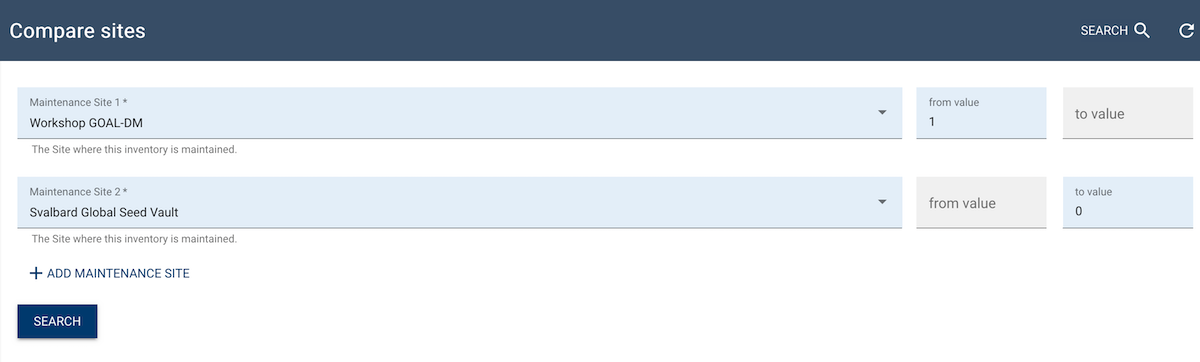
The system then displays all accessions with one or more inventory items in Site A that are absent from Svalbard.
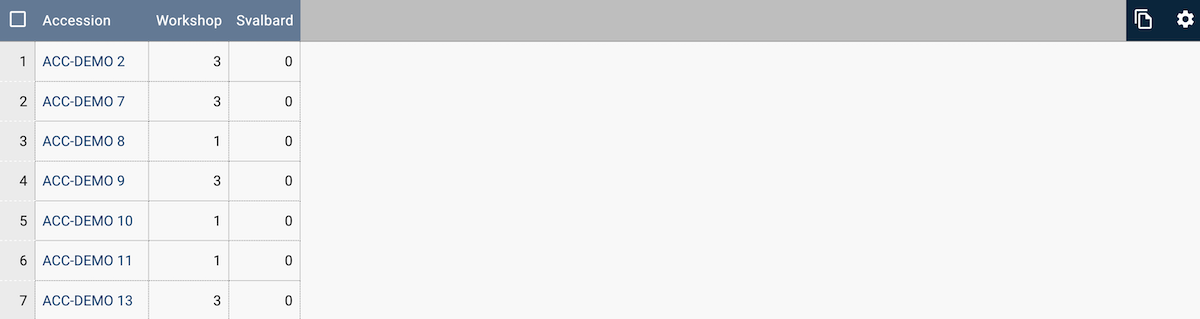
Use the search function to refine results further, such as for fully curated Hordeum accessions.