Assign storage location
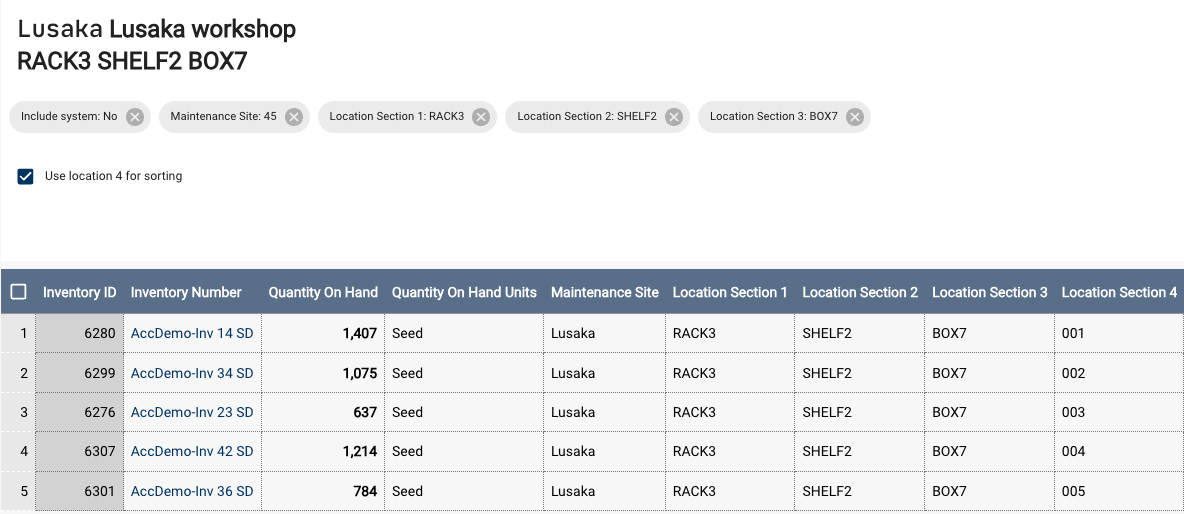
The Assign Storage Location tool associates a specific location address with inventory items. It is one of several ways to record or update an item's storage location.
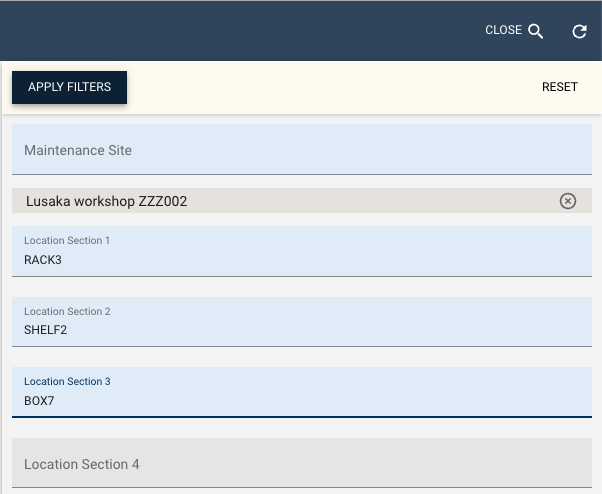
Select the site and location (for example, L1-L2-L3). The tool then displays all inventory items currently stored at that location. The table includes columns for inventory number, quantity, unit, and four storage location fields (1-4).
Adding an inventory to a location
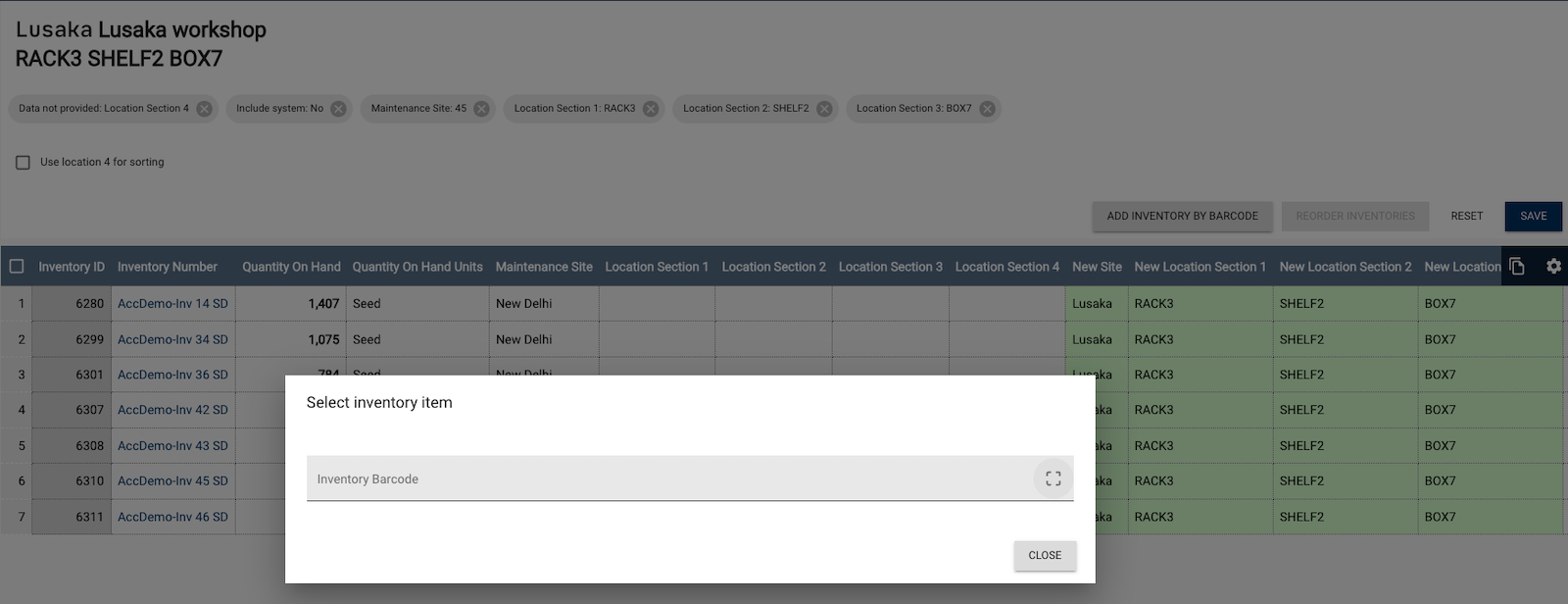
Use the Add inventory button to add an item to a location. This opens a dialog to scan an inventory item's barcode. The system ignores items already in the table to prevent duplication. Otherwise, the item is added to the table, and storage locations 1-4 are set to the selected location.
The grid displays current and target locations. Click Save to finalize changes.
When Use location 4 for sorting is enabled, the system automatically sets the fourth storage location section (storageLocation4) to three digits.
Reordering inventories
The Reordering inventories function is available only when Use location 4 for sorting is enabled. This feature rearranges inventory items already at the target location.
Scan inventory barcodes from first to last to set the order of the fourth storage location section.