Verify items
The Verify items feature provides a quality control step that ensures the correct materials have been picked for a distribution request before they are shipped. This process involves two roles: the Distribution Officer and the Technician.
Triggering the verification
This step is typically performed by a Distribution Officer, but can also be done by a Technician.
To start the process, navigate to the distribution request details page and click the Verify items button. This action schedules the verification by registering a Verify item action for each eligible item. Eligible items are those that belong to the current request and are not in a SPLIT or CANCELED status. This prepares the system for the technician to begin scanning.
If re-verification is required, click the Verify items button again to restart the process for the request.
Performing the verification
This step is typically performed by a Technician.
The tool is organized into five tabs: Scan, Actions, Items, Request, and Faults.
- Scan: The primary interface for verifying items.
- Actions: The list of Verify item actions and their current states, with filters for state, dates, assignee, and nested item fields.
- Items: All items on the request, with their own filters.
- Request: Displays general details of the distribution request currently being verified.
- Faults: Lists barcodes that were scanned but did not match any pending verification action in the request. This tab remains disabled until an incorrect scan occurs.
- Select or scan the distribution request you want to work on. Because multiple requests may be pending verification, you must first identify the specific request you are processing.
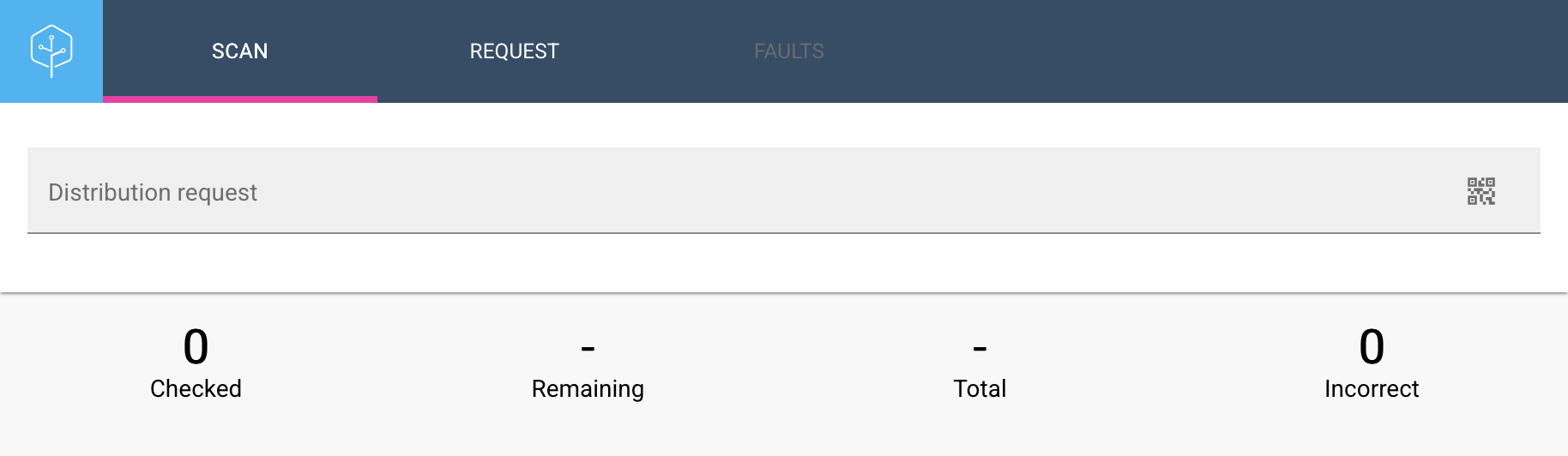
- Review the list of items to be verified. The progress dashboard displays the number of items checked, remaining, total, and any incorrect scans. As verification progresses, the system automatically reorganizes the list to place unchecked items at the top once 25% or fewer of the items remain.
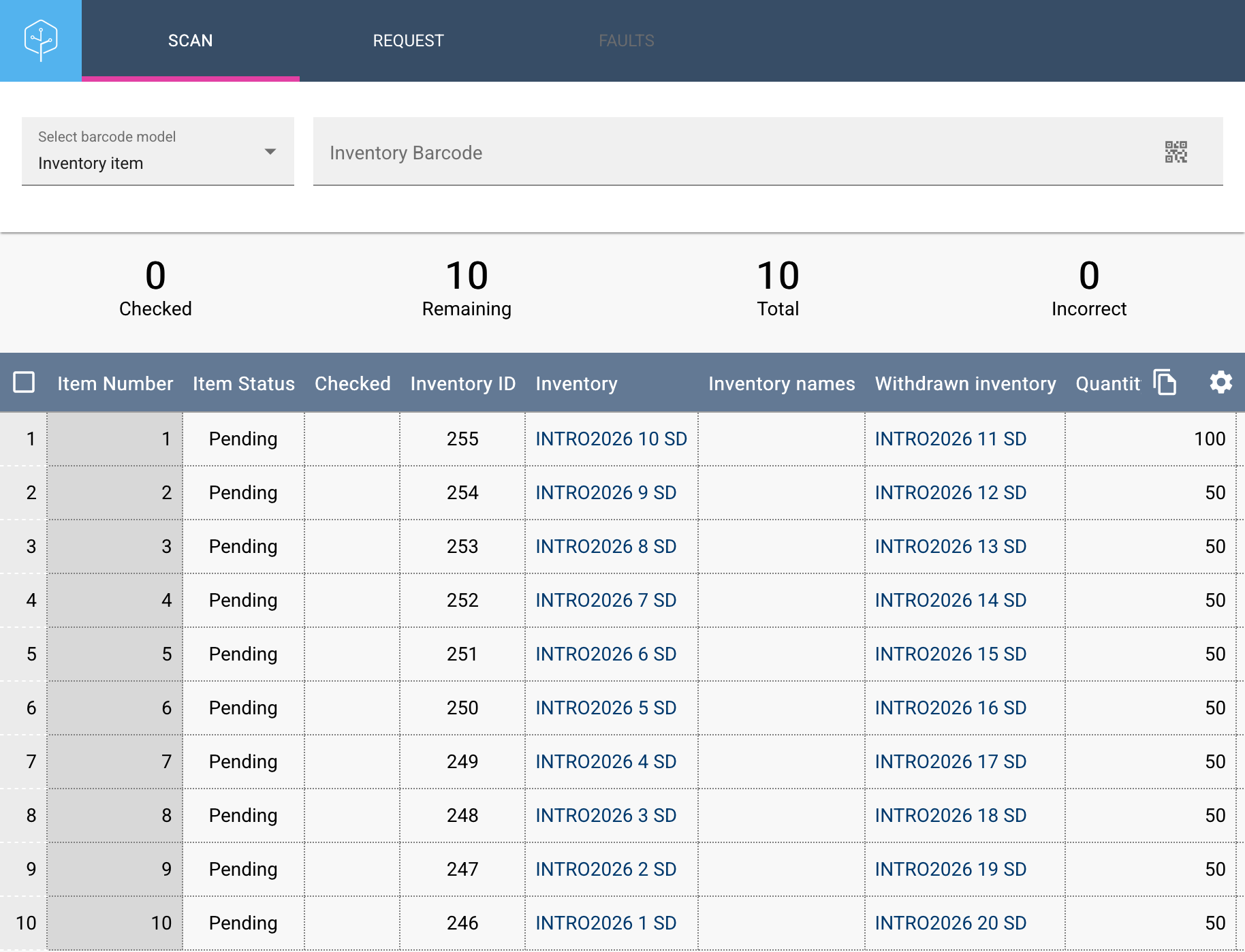
-
Select the barcode model (Inventory, Request item, or Withdrawn inventory) and scan the barcode. The system provides immediate visual (screen blinking) and audio feedback to indicate whether the scan was successful or incorrect.
-
The system matches the barcode to a pending action, checks off the item, and updates the progress.
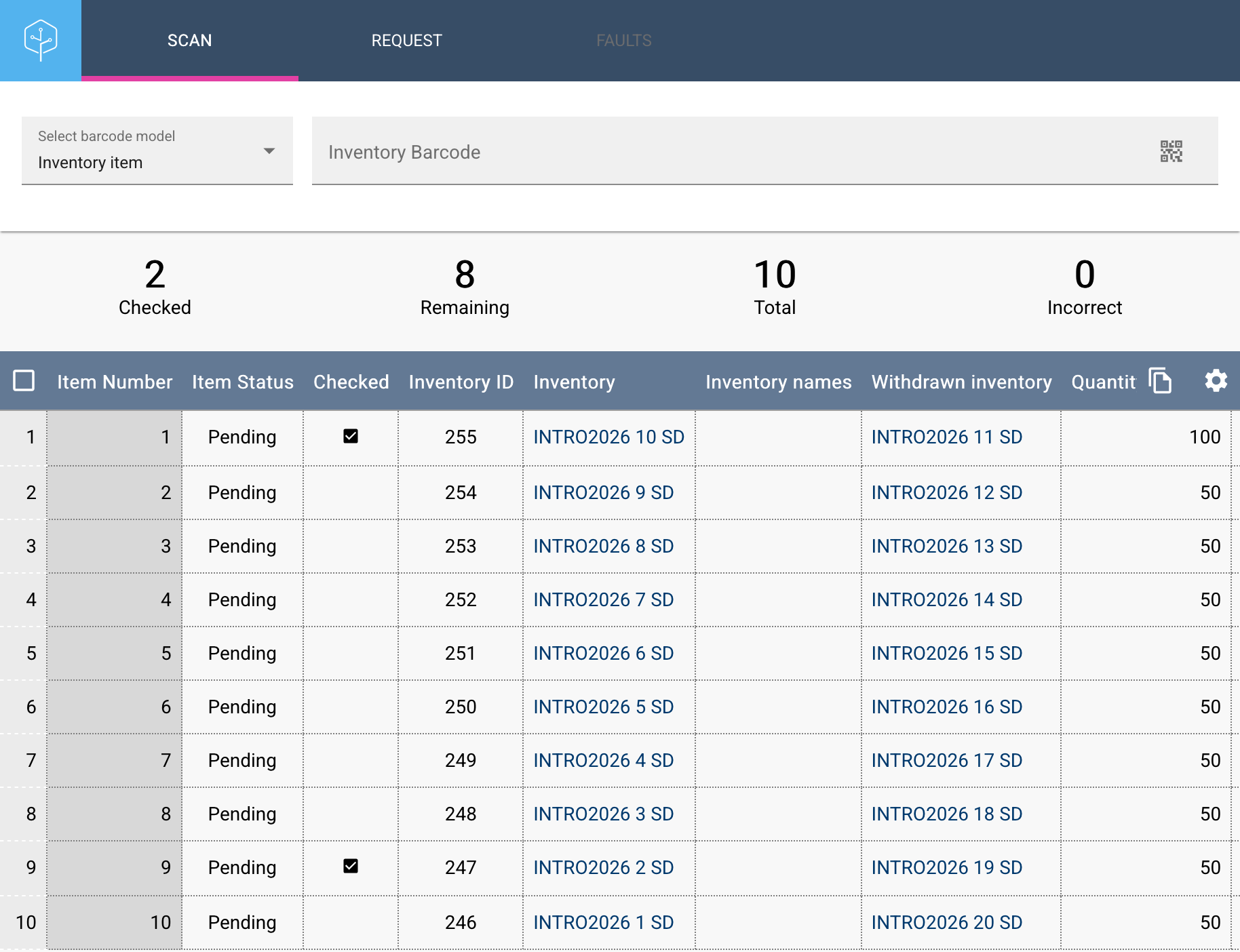
How it works
When you click the Verify items button, the system creates a pending Verify item action for each eligible item in the request.
During the scanning process, the system checks if the scanned barcode is associated with any of these pending actions. If a match is found, the action is marked as completed.
Because Verify item actions are stored as records in the database, you can pause and resume the verification process at any time.
When all available items have been scanned, any remaining unchecked items are flagged as missing. This helps staff identify discrepancies and resolve missing material issues.
Exporting scan results
You can export the scan results to Excel. The exported file includes a Checked status column that indicates whether each item was successfully verified. Use this export to document the verification session or to compare it with a paper checklist.
Recently verified items
When a request is loaded in the Scan tab, the list shows the ten most recently verified items first, so technicians can see which items have already been processed and which still need attention. As new items are scanned, the list updates to show them at the top.