Harvest
Inventory > Harvest handles material coming from the field back to the genebank for processing and eventual storage. The tool works with Harvest inventory actions, which can be scheduled automatically through workflows or added manually.
Harvest lists the planted inventories and their corresponding harvested counterparts. The Harvested inventory is initially empty.
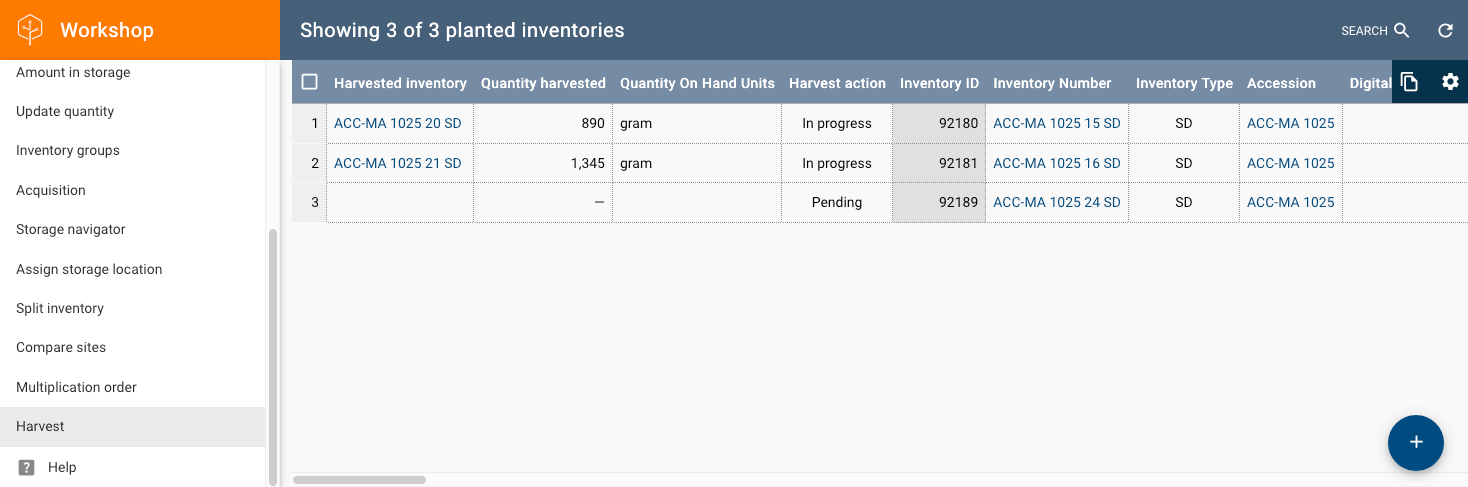
Click + to open a dialog that prompts you to scan the barcode of the incoming (planted) material:
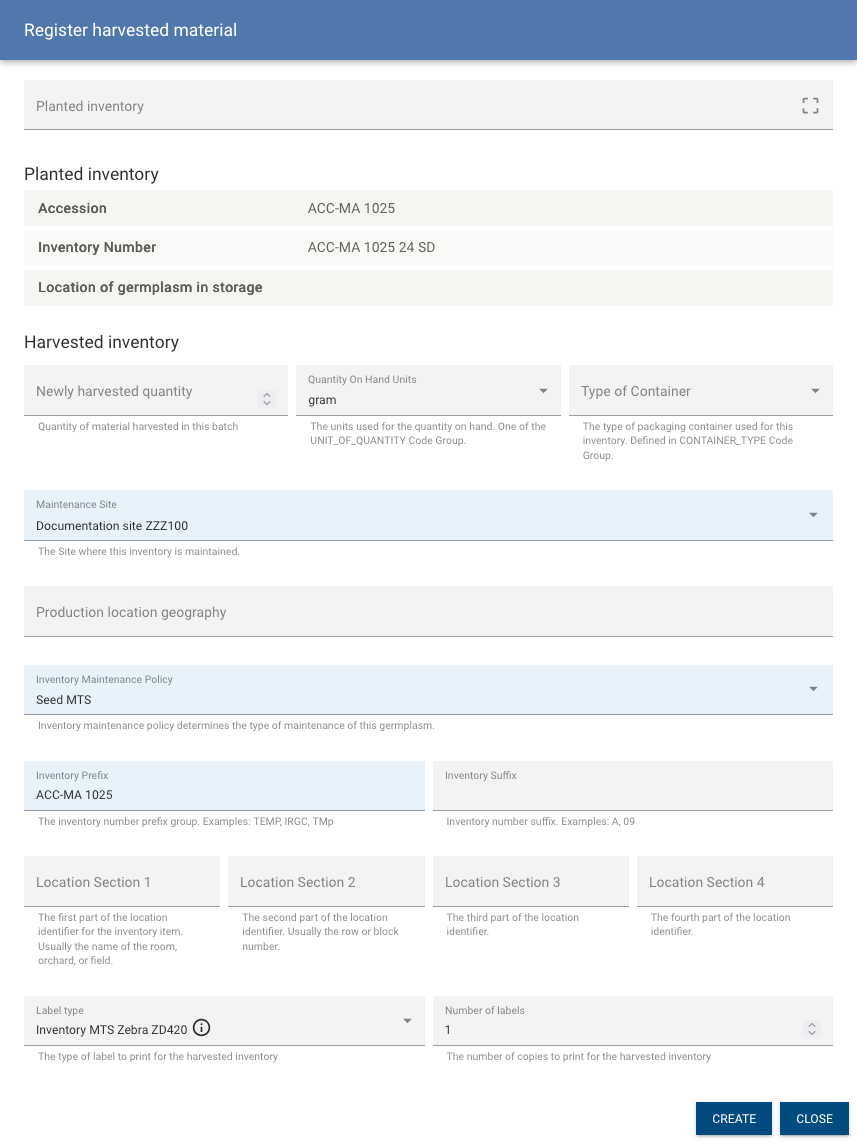
After filling out the form and clicking the Create button, the tool adds a new inventory. The dialog stays open so you can scan the next barcode. This creates a new inventory with an incremented generation number, a harvested quantity, and a link to the source (planted) material.
You can record multiple harvests because seed often matures at different rates. When you scan the same barcode again, the form loads the already harvested inventory and displays the Total harvested quantity. You can no longer change the inventory prefix or suffix.
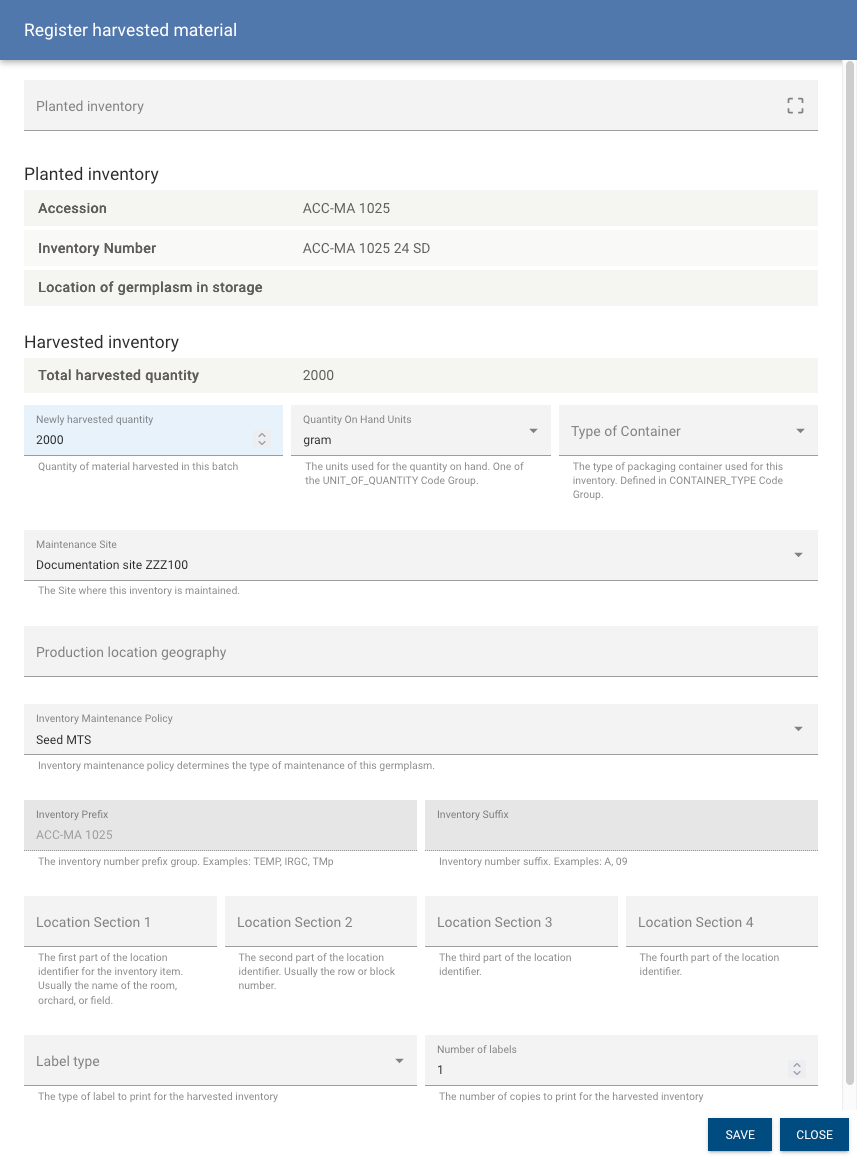
Continue adding quantity to the harvested inventory for as long as the Harvest action is open, and finish the harvest by selecting the rows and clicking End harvest:
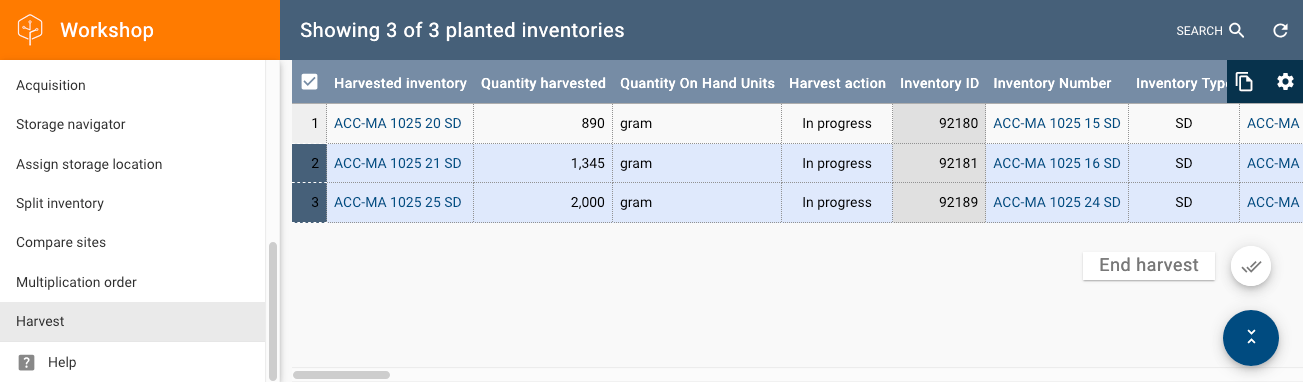
End harvest sets the quantity on hand for the planted material to zero, which makes it a historical record, and marks the Harvest action as completed.