Introducing AI to collection management
Managing plant genetic resources requires handling complex data across thousands of accessions. The Genebank AI agent in GGCE simplifies this process and streamlines workflows.
The AI assists with daily collection management through a dedicated chat interface and intelligent support within specific modules.
Your personal GGCE assistant
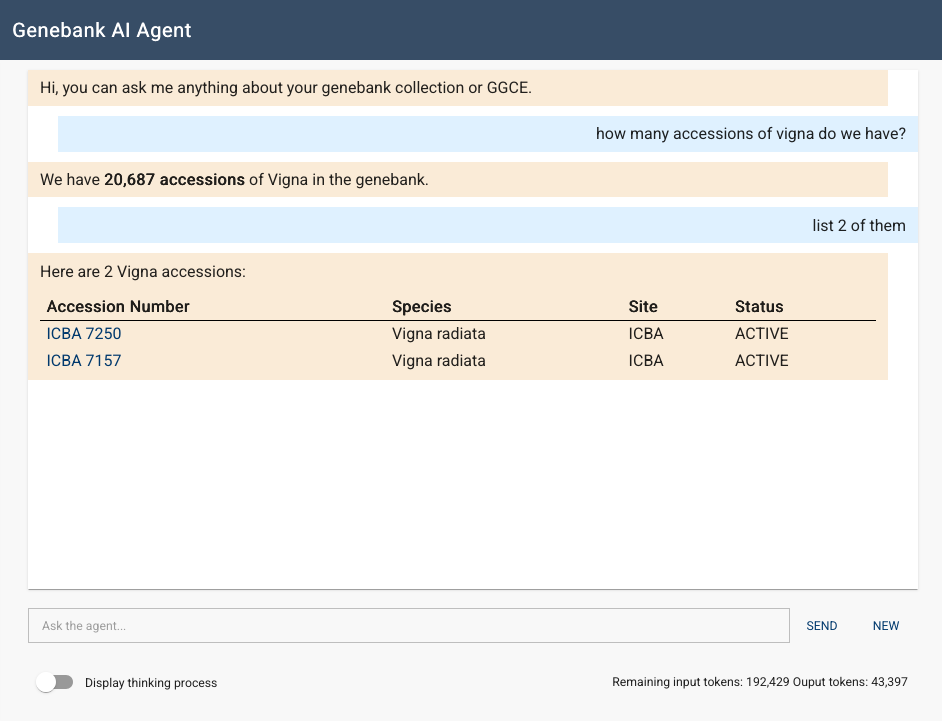
The AI agent is an assistant that understands your collection and the GGCE system. You can ask questions directly instead of searching through GGCE documentation or navigation menus:
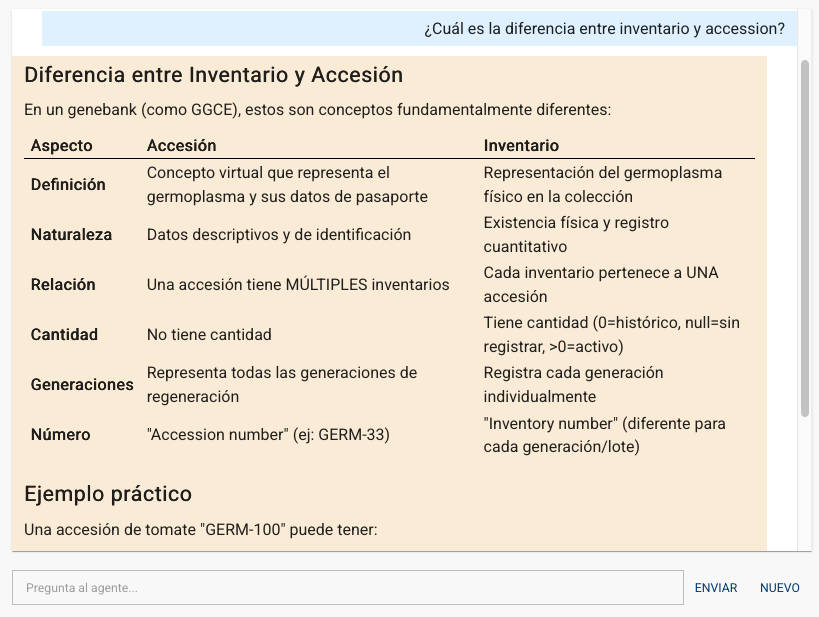
- "What is the difference between inventory and accession?"
- "What is the breakdown of the collection by genus?"
- "How many accessions from Kenya were acquired in 2015?"
- "Did we distribute material to Jane Doe?"
- "Did we send material to CIMMYT?"
- "Can we rationalize ACC 7?"
The agent provides direct answers and guidance. You can find it under Genebank AI Agent in the main menu.
It is also available in different languages:
Smart AI-powered features
We have integrated AI into several workflows to demonstrate its capabilities.
1. Automated accession narratives
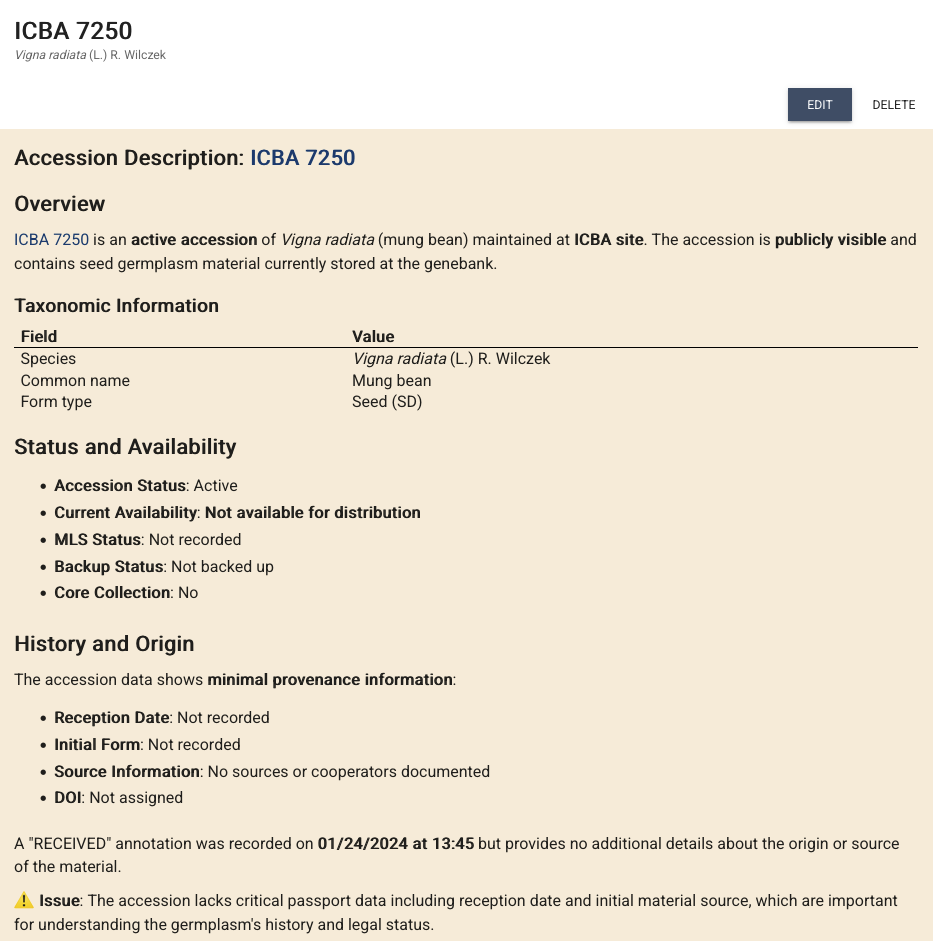
The Accession Description tool analyzes passport and inventory data to generate a narrative. This tool is available on the details page of each accession:

It summarizes the origin, history, and status of the material and highlights key inventory details, such as propagation dates and storage locations. It can also identify data inconsistencies.
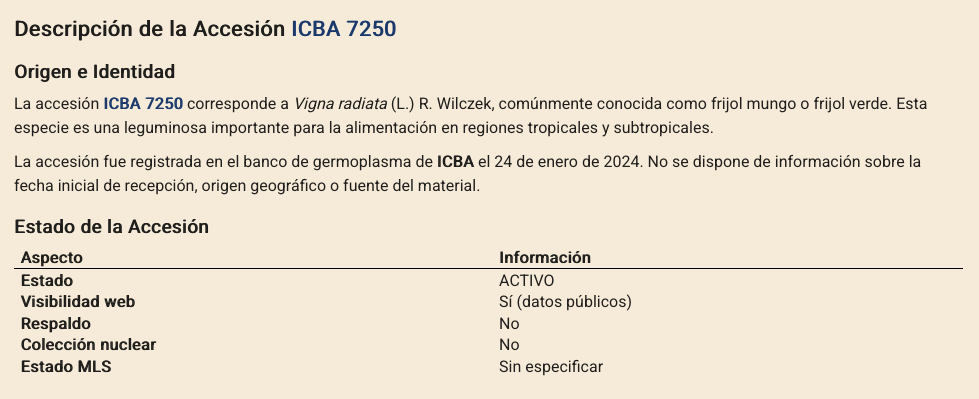
Or in Spanish, if that's how you're using GGCE:
2. Natural language queries
Finding a specific subset of material often requires complex filters. With the AI Filter Generator, you can describe your requirements in plain English:
"Show me all accessions with viable seeds stored in the main freezer that are from 20th century explorations."
The AI converts this request into a GGCE filter and applies it instantly, so you do not need to use multiple dropdowns.
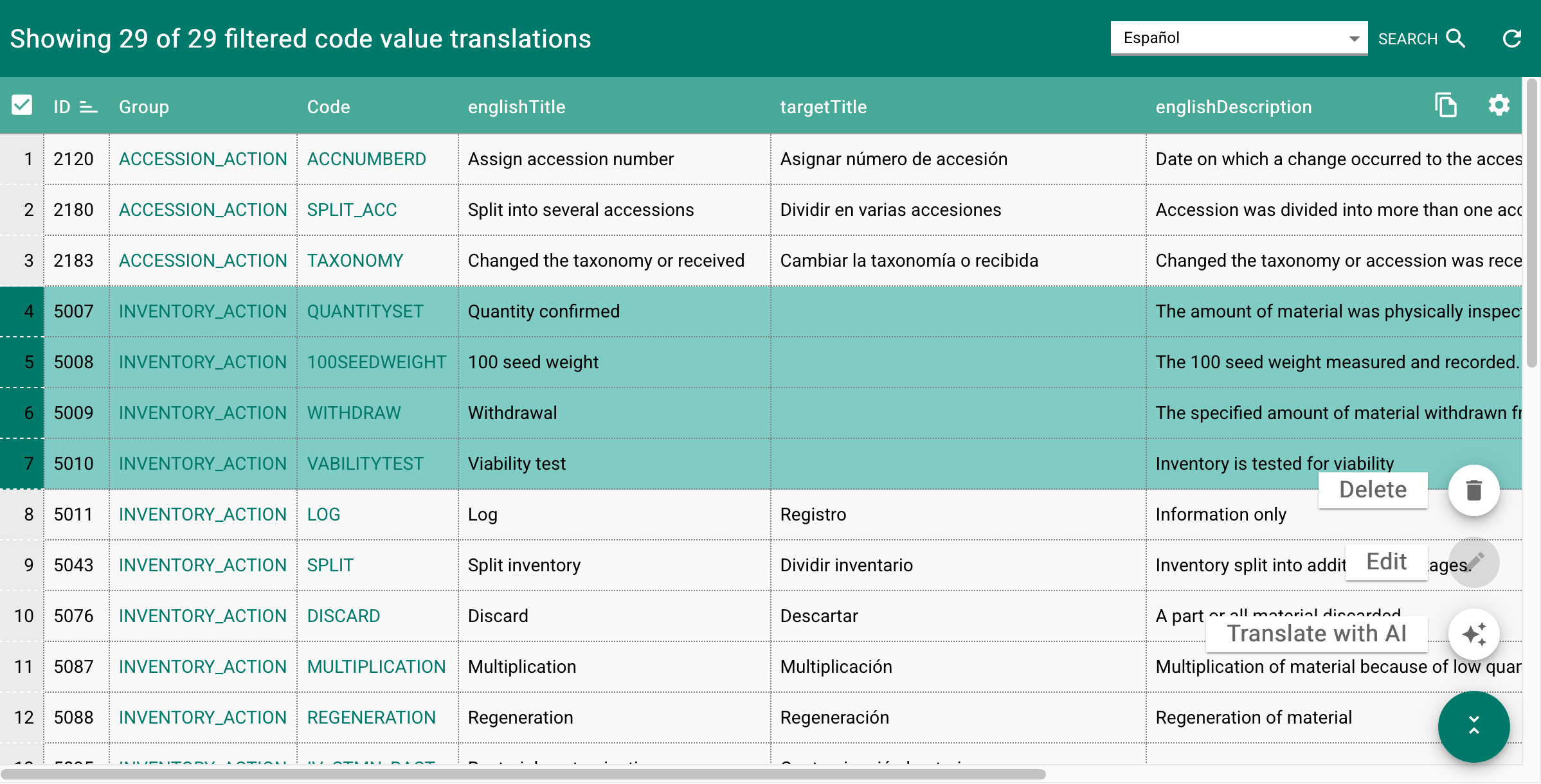
3. Translating vocabularies
Maintaining translated labels for vocabularies, such as actions, units, and state options, is challenging for multilingual institutions. GGCE administrators can now use an AI translation tool to translate English term titles and descriptions into a selected target language.
To translate vocabularies, select the rows and use the Translate with AI function:
Setting up the AI agent
The AI agent runs as a separate service. Docker users can enable it through the GGCE installer by selecting the GGCE AI agent option to update the ggce.yml configuration.
The agent requires a connection to a large language model (LLM). You can configure providers such as Ollama, Ollama Cloud, or Amazon Bedrock by adding the API keys and settings in the agent's configuration directory.
Administrators can grant access to users by adding them to the AI user group.
For detailed instructions, visit the AI Agent configuration guide.
Innovation with responsibility
AI should support human expertise, not replace it. Please review and use all AI-generated content responsibly!
Ready to try it? Find the Genebank AI Agent in the GGCE navigation menu.