GGCE 2026.3
This release improves the intelligence and usability of GGCE by introducing an AI assistant and redesigned browsing tools to streamline genebank operations.
For detailed upgrade instructions, please see the upgrading instructions.
For more details, visit the GitLab release pages:
Genebank AI agent
The Genebank AI Agent is an assistant that helps users navigate collections and GGCE functionality. It understands both the specific collection and the GGCE system.
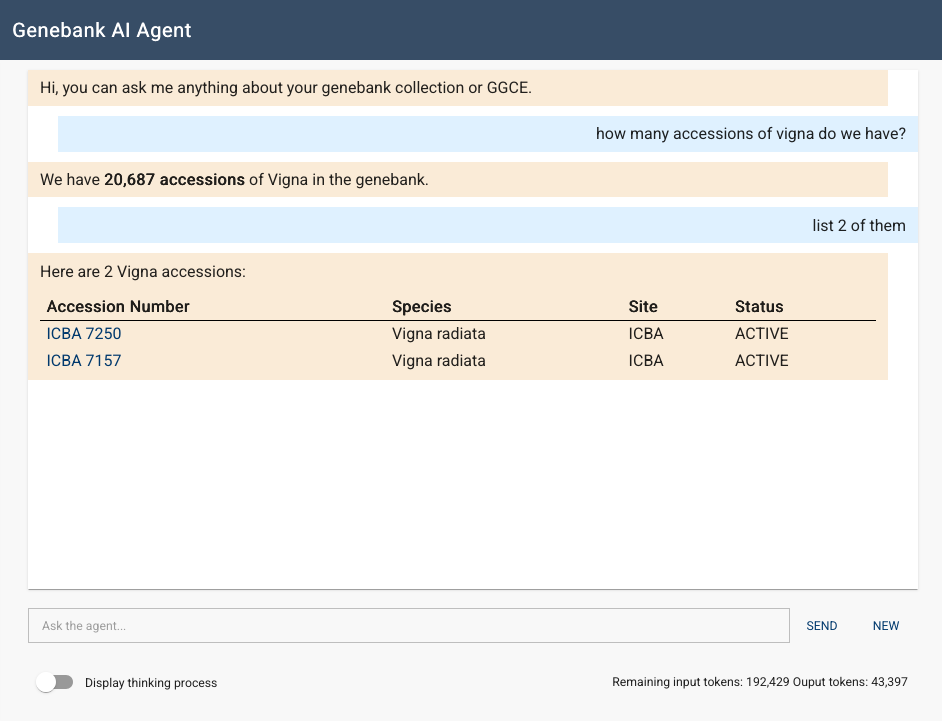
Users can ask the agent questions in plain language instead of searching through documentation or menus:
- Collection insights: "What is the breakdown of the collection by genus?" or "How many accessions from Kenya were acquired in 2015?"
- System guidance: "What is the difference between inventory and accession?"
- Operational support: "Did we distribute material to a specific institution?"
The agent also integrates into workflows:
- Automated accession narratives: The agent analyzes passport and inventory data to generate a summary of an accession's origin, history, and status, and identifies potential data inconsistencies.
- Natural language queries (Filter generator): Users can describe requirements in plain English (e.g., "Show me all accessions with viable seeds stored in the main freezer from 20th century explorations") and the agent will generate and apply the corresponding GGCE filter.
- Code value translation: AI-powered translation for code values, supported by a new localization browse page for administrators.
Technical features
- Interactive experience: Includes real-time streaming responses and session management.
- Administrative control: Administrators can monitor token usage and toggle the visibility of the AI's internal reasoning.
- Access management: Access is managed via the
AIuser group.
Extended accession browser
The accession browsing experience has been updated from a single table of accession passport data to a tabbed view, improving the efficiency of navigating and managing passport data.
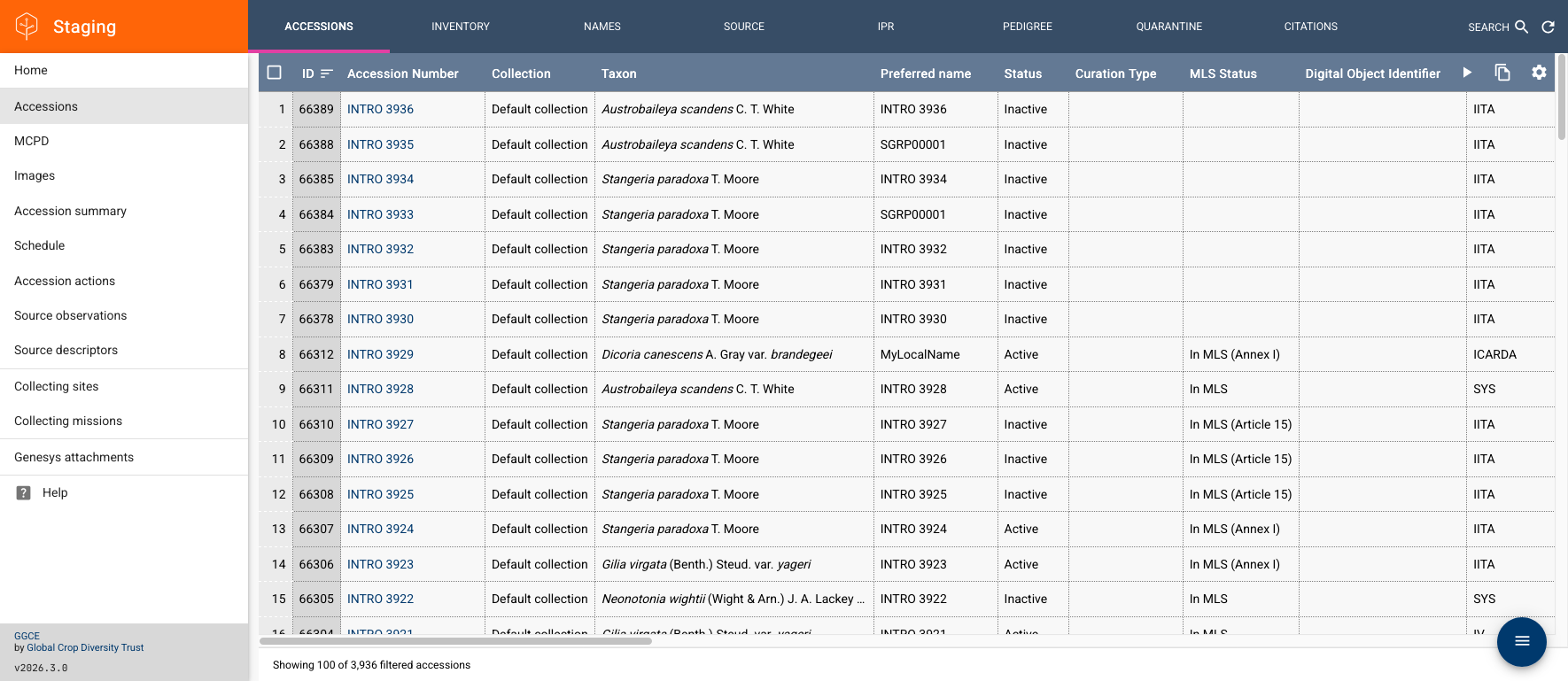
All accession-level data is now organized into a single view. Users can switch between specialized tabs:
- Passport data: Core accession records.
- Inventory: All associated inventory items.
- Names and sources: Synonyms, alternative names, and detailed source descriptors.
- IPR and quarantine: Legal restrictions and quarantine history.
- Pedigree and citations: Lineage information and linked bibliographic references.
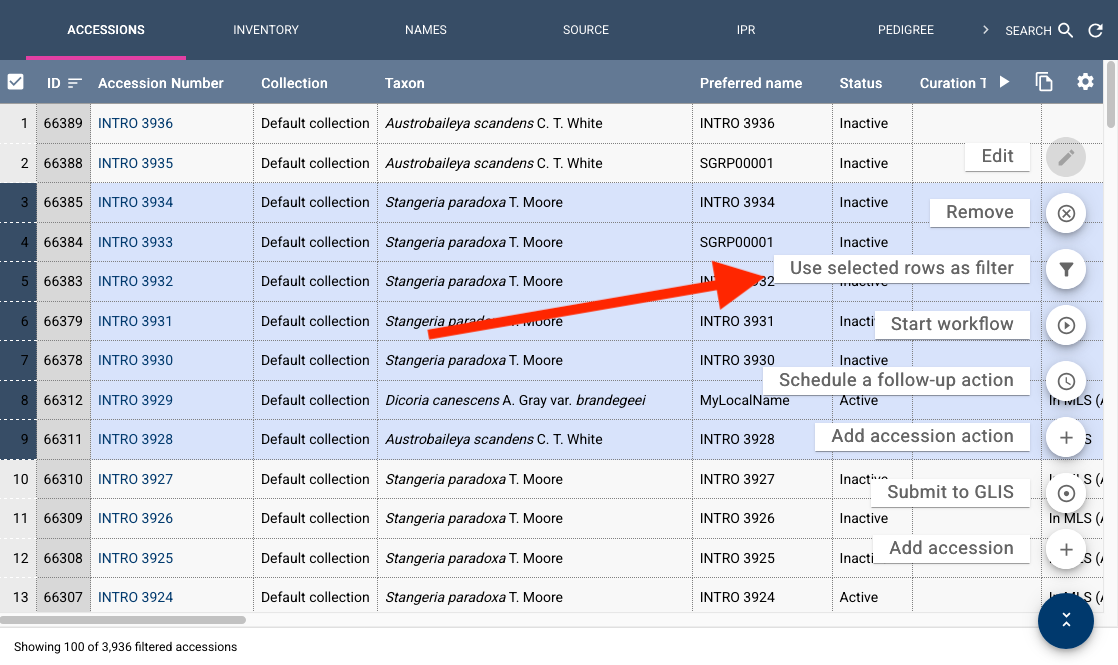
A unified filter maintains context across all tabs. If a filter is applied (e.g., by geography, taxon, or a set of IDs), switching to another tab will automatically show only data relevant to those records. That's also why we added the option to easily filter by the accessions selected in the grid:
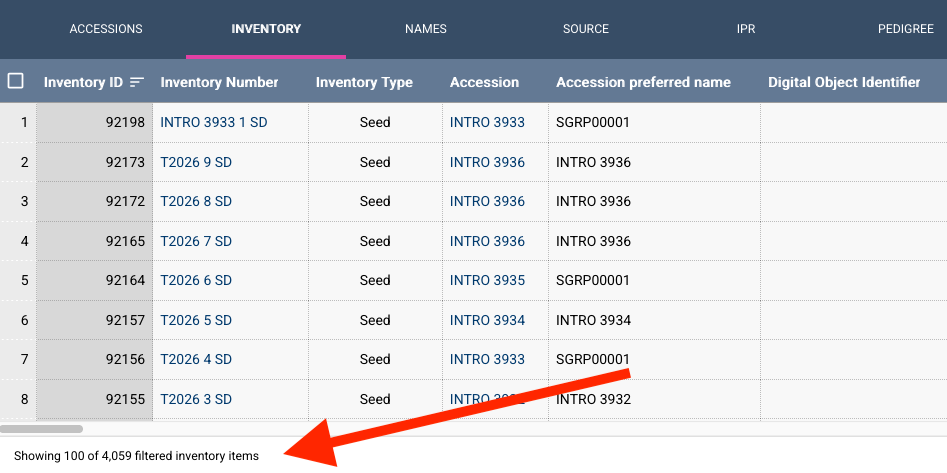
A persistent footer displays the total number of records matching the current filter in the database versus the number of records currently loaded on screen.
Inventory and order management
Improvements have been made to inventory registration and tracking.
Inventory registration
- Rapid registration: Users can now register inventory by accession name.
- Hardware integration: Direct integration of electronic balance readings into inventory forms reduces manual entry errors.
- Viability tracking: The
InventoryViabilitysystem now includes acounterCooperatorfield to track responsibility. ThetestedDateis now nullable and managed according to the test status, with logic to ensure only one pending test exists per item.
Order requests
- Quantity tracking:
OrderRequestItemnow tracks requested and shipped quantities separately. - Smart defaults: If an item is marked as
SHIPPEDbut the shipped quantity is missing, the system automatically uses the requested quantity. - Improved validation: New checks ensure a quantity is provided before an item can be transitioned to
SHIPPEDstatus.
Automated version check
The server now periodically (every seven days) checks for new releases and alerts administrators when an update is available. This feature can be disabled via the DISABLE_VERSION_CHECK environment variable as documented here.
We also added the option to manually check for updates in Admin tools:

User interface improvements
- Document previews: An integrated preview window for PDF attachments allows curators to verify files without downloading them.
- Distribution and taxonomy:
- Added a sort option for the "Location of germplasm in store" column in Distribution.
- Enabled sorting by genus name in the taxonomy browser.
- The
storageLocationfield is now displayed in retrieval lists and order items tables.
- Permissions and access:
- Non-administrator users with the
WebReportpermission can now execute queries and read reports. - Introduced bulk update capabilities for effective permissions, including a save loop and navigation guard to prevent accidental data loss.
- Added the ability to clear the
parentObjectfor permissions.
- Non-administrator users with the
- General usability:
- Added a "Today" option to date selectors.
- Improved the stability of offline mode and service worker behavior.
- Fixed a bug where inventory forms displayed
[object]in parent inventory fields. - Resolved an issue preventing the creation of new users due to undefined dropdown options.
Server and API enhancements
- Access control: Site access filtering has been extended to
AccessionQuarantine,AccessionIpr,AccessionSource, andAccessionPedigreerecords. - Data integrity: Accession and inventory numbers have been upgraded to
nvarcharfor better compatibility and flexibility. - API pagination: The UI now uses the API's default page size rather than hardcoded values, allowing each deployment to optimize performance based on its server configuration.
- Translations: A new filtered list endpoint has been added to the
TranslatedCRUDController.